Google Play data safety
The current Play listing declares that Mumaura Recorder collects no user data and shares no user data with third parties.
Voice & Video Recorder
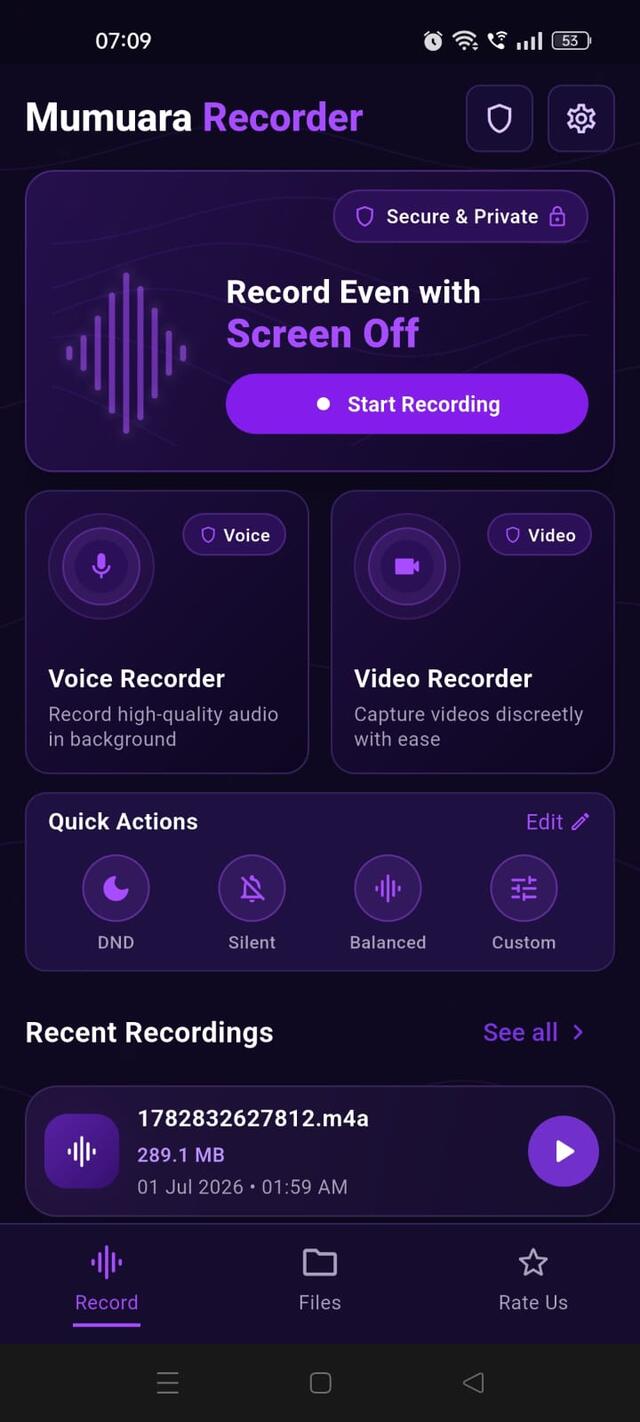
High-quality voice and video recording that keeps working when your screen is off. Meetings, lectures, notes, and moments — captured privately, saved only to your device.
Built on the same promise as Mumaura PDF Reader & Word Editor: apps made to work for you, not to sell your data.
Recording access is explained plainly, and the store declaration is available for independent review.
The current Play listing declares that Mumaura Recorder collects no user data and shares no user data with third parties.
Microphone and camera access support recordings you explicitly start. Storage or media access saves and opens your recordings.
Built and supported in India by the independent developer behind MummaApps, with direct email support.
What Mumaura Recorder Can Do
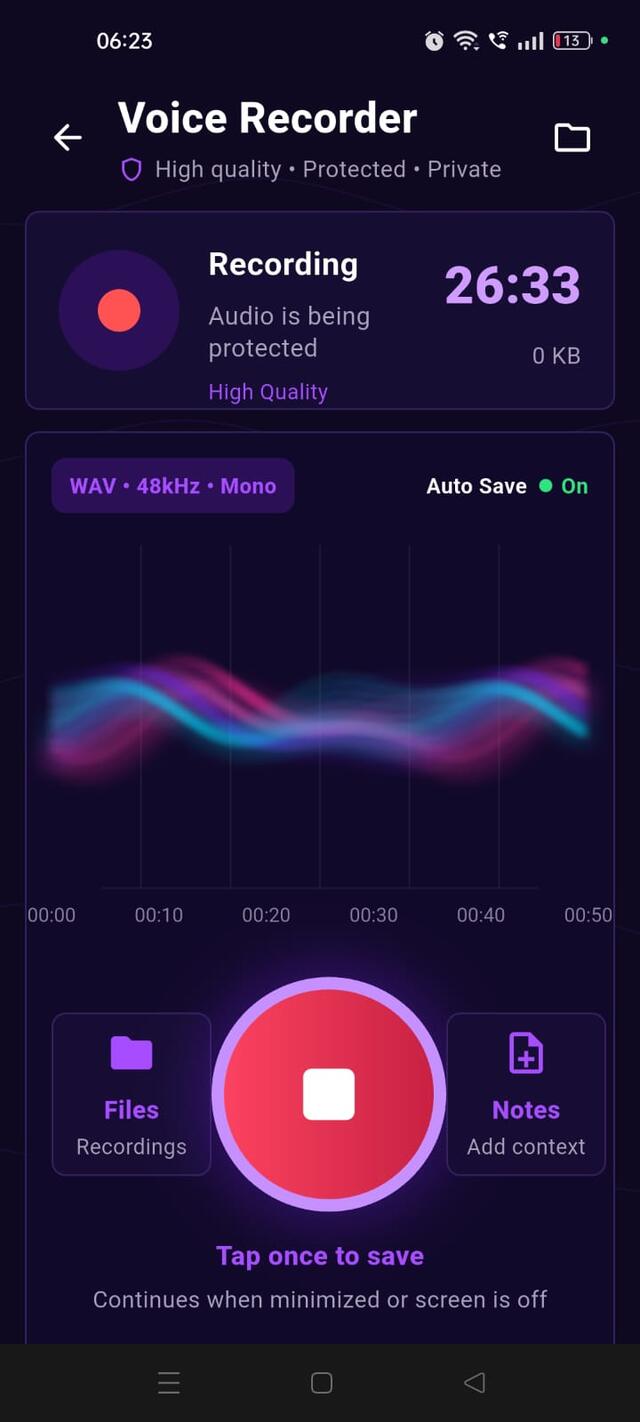
Record crystal-clear voice memos, meetings, and lectures in high-quality WAV audio at 48kHz. A live waveform shows your voice as you speak, and Auto Save keeps your progress safe throughout.
Capture HD video with front/back camera switching, flash for low light, and a Silent Mode that removes shutter sounds and alerts for quiet settings like classrooms or meetings.
Start a recording and go about your day. Voice and video recording both continue running in the background even if you lock your phone or switch to another app — no need to keep the screen on.
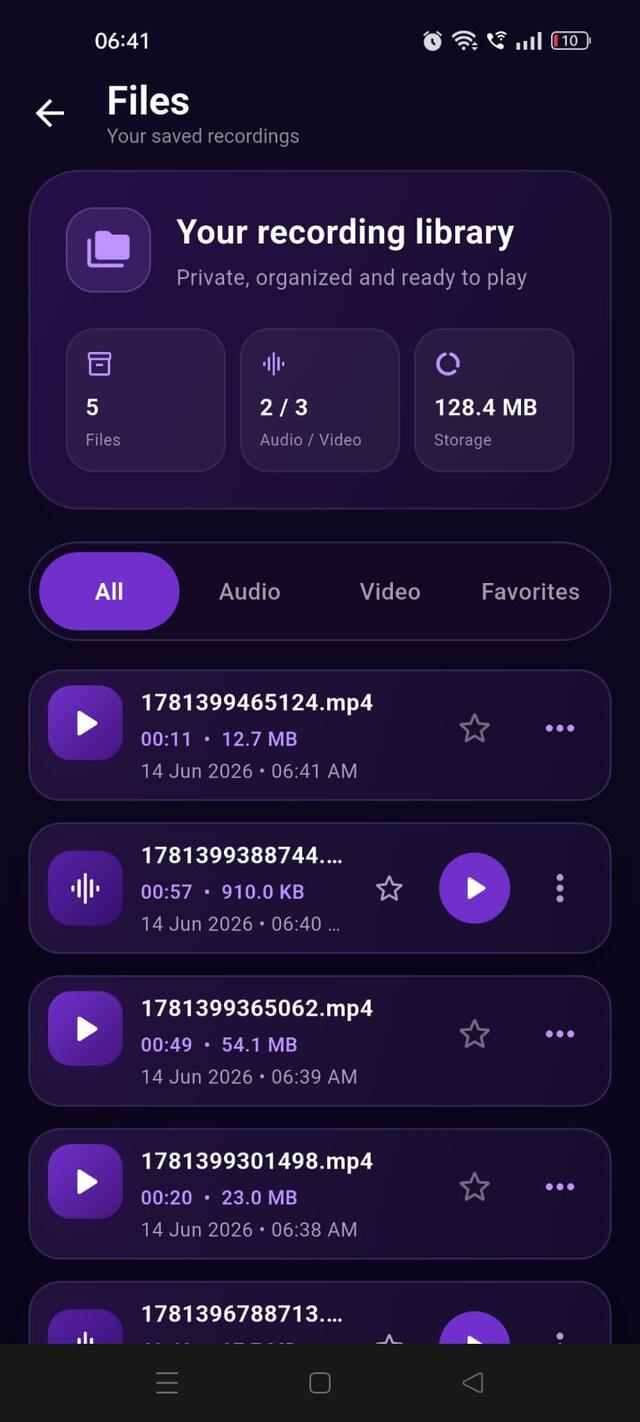
Every recording — audio and video — lands in one organized library. Filter by All, Audio, Video, or Favorites, see file size and duration at a glance, and play instantly from the list.
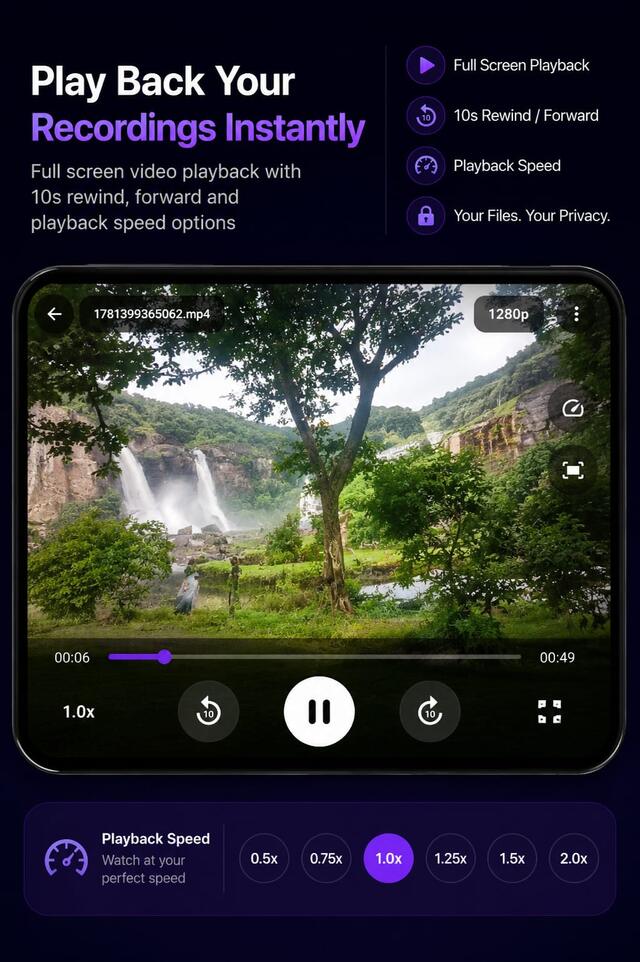
Watch recordings full screen with 10-second rewind and forward, a scrubber to jump anywhere, and adjustable playback speed from 0.5x up to 2.0x — useful for reviewing lectures faster or catching every detail of a meeting.
In the App
Recording other people? Consent laws vary by location — some places only require one person in a conversation to agree to being recorded, others require everyone's consent. Check the rules where you are, and let people know when you're recording them where required.
Based on publicly available features as of 2026. Some features may require premium plans, an account, or specific device brands in competing apps.
| Feature | Mumaura Recorder | Samsung / Google Recorder | Easy Voice Recorder |
|---|---|---|---|
| Ad-Free | ✅ No ads, ever | ✅ Usually ad-free | ⚠️ Free tier shows ads |
| Works on any Android phone | ✅ Universal | ❌ Brand/device-locked | ✅ Universal |
| Offline, no cloud sync | ✅ 100% local | ⚠️ Cloud sync / transcription often tied to account | ✅ Local by default |
| Voice + Video in one app | ✅ Both included | ❌ Audio only | ❌ Audio only |
| Background / screen-off recording | ✅ Built-in | ⚠️ Varies by device | ⚠️ Limited on free tier |
| WAV export | ✅ Included | ⚠️ Limited formats | ✅ Available |
| No account required | ✅ Works immediately | ⚠️ Google account often needed | ✅ No account needed |
| Playback speed control | ✅ 0.5x – 2.0x | ✅ Available | ✅ Available |
No login. No ads. No tracking. Install and start recording instantly.
Mumaura PDF Reader & Word Editor — read, edit, and convert PDFs and Word docs offline, ad-free.
Your kindness keeps our mission moving forward — and we're always here to listen.
Mumaura Recorder is a free, ad-free Android app for private voice and video recording. It works offline, requires no account, and saves recordings locally on your device.
Yes. After you start recording, Mumaura can continue while the screen is off or another app is open. Android may show a persistent recording notification, and some manufacturers' battery settings can affect background operation.
Audio is saved in high-quality WAV format. Video supports HD quality where the device permits it, with settings that help balance clarity, file size, and available storage.
Recordings are saved to local device storage and shown in the app's Files section. Auto Save reduces the chance of losing an in-progress recording if the app closes unexpectedly or the battery runs out.
Microphone access is needed for audio, camera access for video, and file access for saving and browsing recordings. Mumaura has no ads or analytics trackers and does not upload recordings; files leave your device only when you choose to share them.
It is designed to work across Android devices, but aggressive battery optimization can stop background activity on some phones. Allow the requested permissions and exclude Mumaura from battery restrictions if recording stops unexpectedly.
Recording and consent laws vary by location and situation. Get permission where required, respect people's privacy, and check the rules that apply to you before recording a conversation, meeting, or private place.
Add notes, mark favorites, and filter files by audio, video, or favorites. Playback includes seeking, 10-second skip controls, adjustable speed, and full-screen video.
More help topics available
FlashCamera switchingFile formatsPlaybackPermissionsResponsible use